
POS software for Pakistani shops — billing, stock and udhaar in one place
Make bills with a barcode scanner, keep stock right, track every customer's udhaar and close the day with a proper cash book. One login runs up to five businesses — and selling continues even when the internet drops.
- No payment to start
- From Rs 2,000 / month
- English, Urdu & Hindi
- Works offline
From the first bill to the closing balance
NexAura POS replaces the register, the udhaar copy and the calculator at closing time — and turns your daily work into reports you can trust.
Billing & barcode
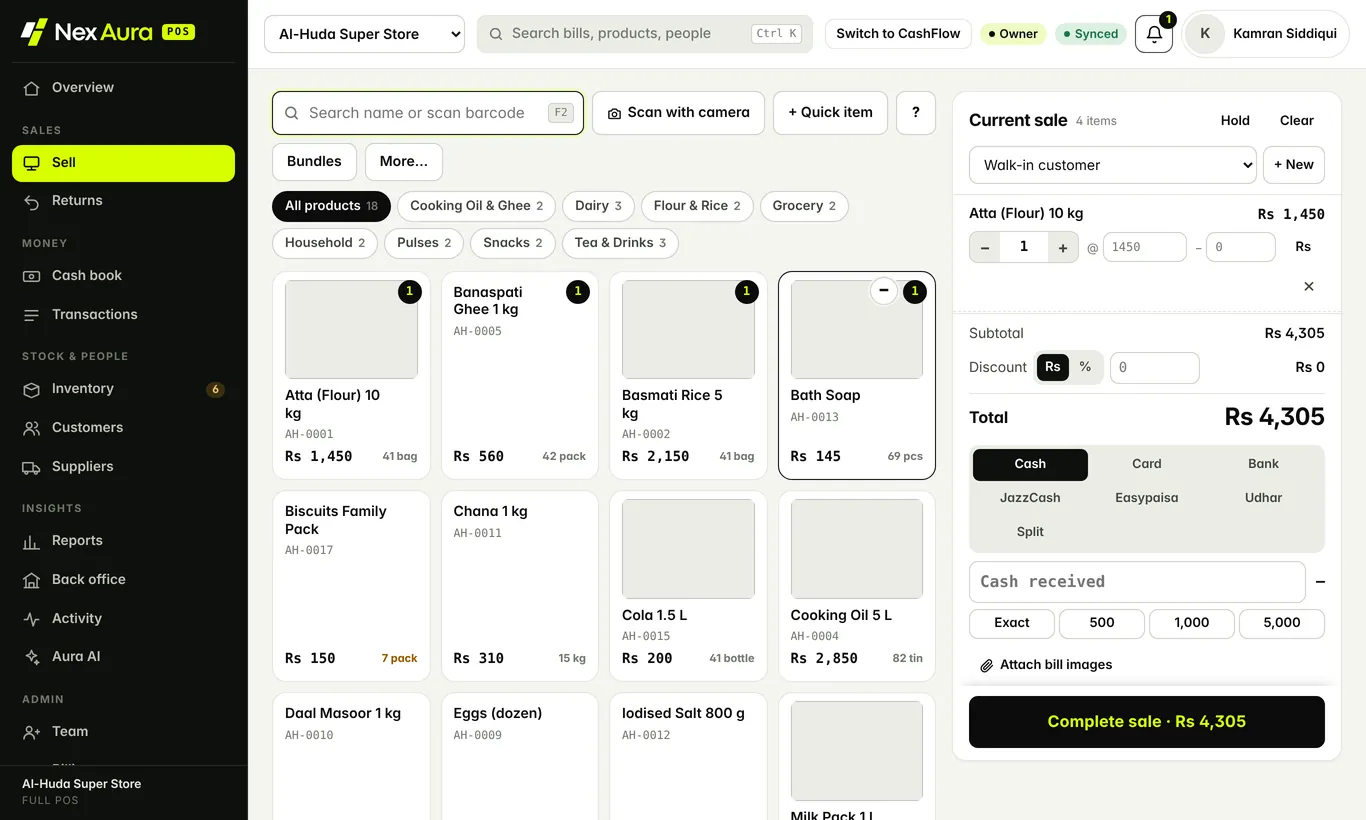
Scan or search, hold a bill, give a discount within limits, and take cash, card, bank, JazzCash, Easypaisa, udhaar or a split.
Billing & barcodeStock & purchases
Stock moves with every sale and purchase. Low-stock alerts, purchase orders, stock counts, transfers, batches and expiry.
Inventory & purchasesUdhaar khata
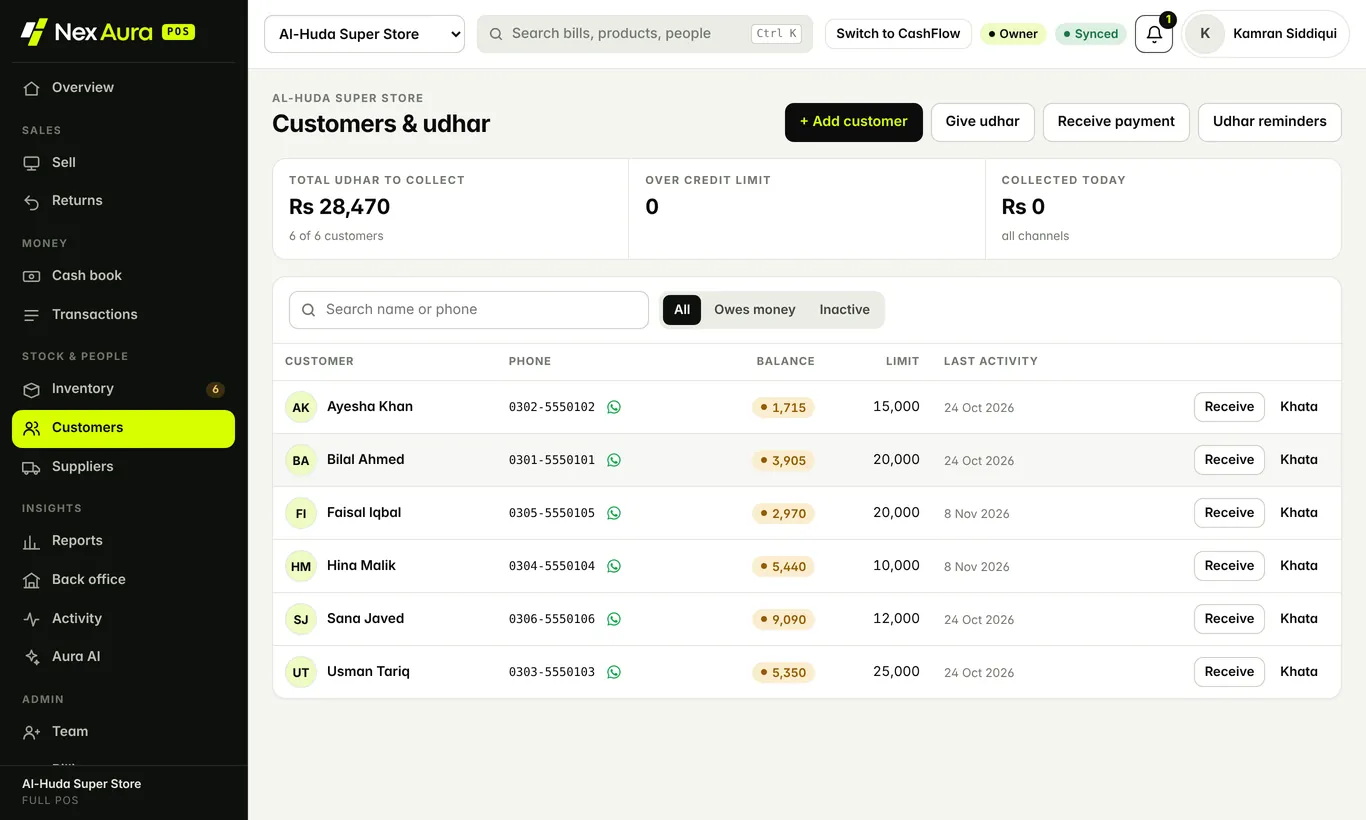
Every customer's balance and credit limit in one place. Record recoveries and send a WhatsApp reminder in one tap.
Udhaar khataCash book & closing
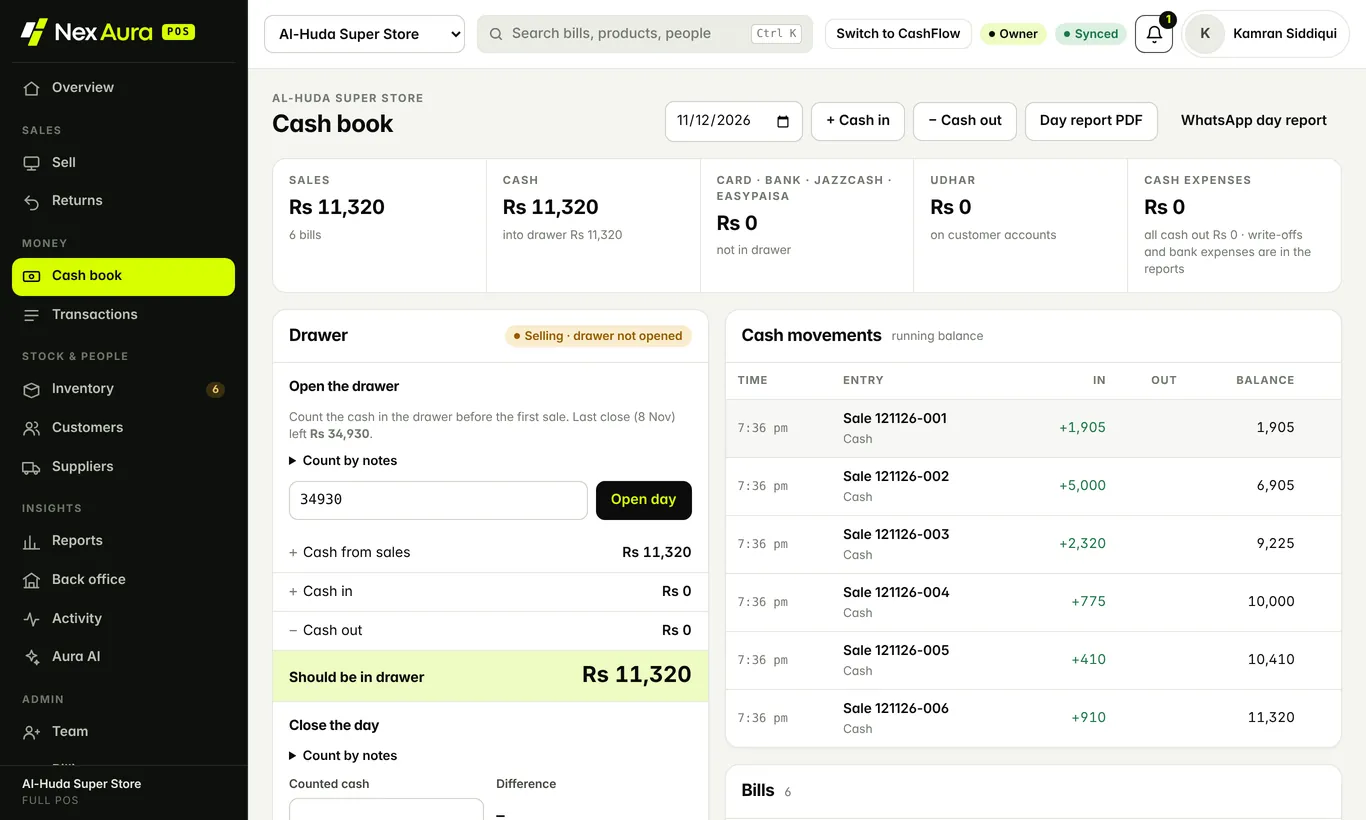
Open the drawer, record cash in and out, count notes at closing and see the difference. Send the day report on WhatsApp.
Cash bookProfit & loss, balance sheet
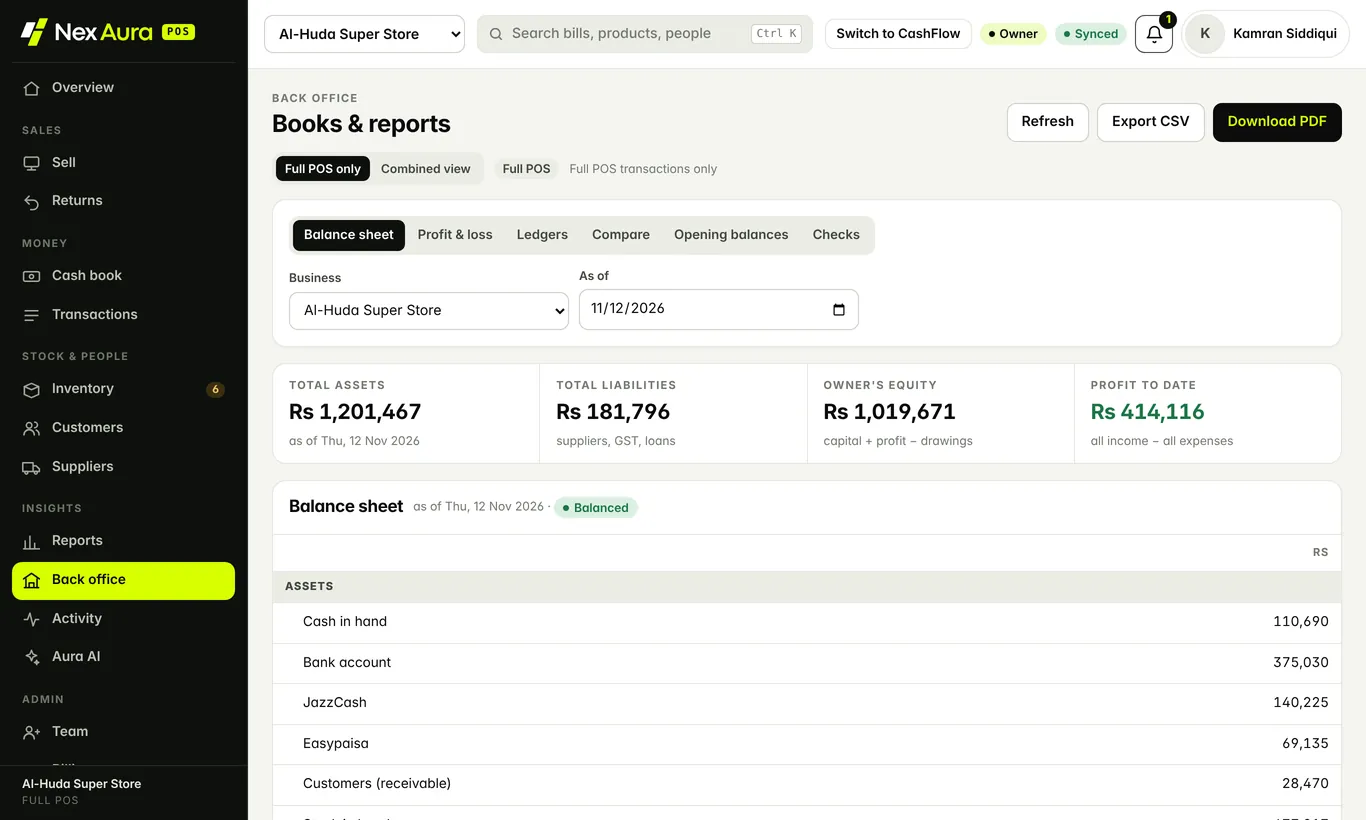
Real books behind every entry: profit & loss, balance sheet, ledgers and period comparison — download as PDF, CSV or Excel.
ReportsMany businesses, one login
Run a book shop and a general store side by side. Each business keeps its own stock, books and team.
Multi-businessA fast counter, even in the rush
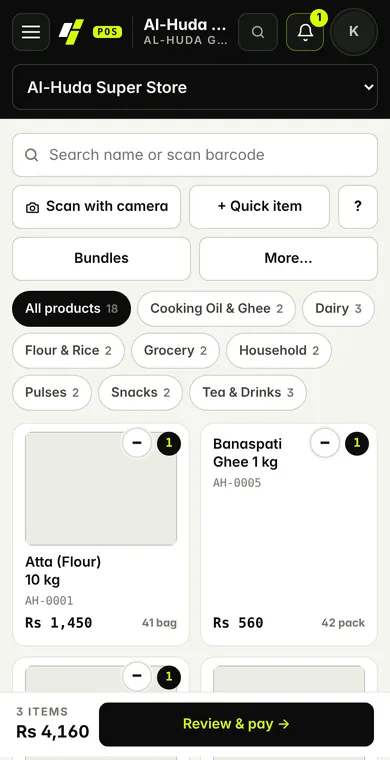
Search by name or scan a barcode — with a USB scanner or the phone camera. Bills stay quick when the queue is long.
- Cash, card, bank, JazzCash, Easypaisa, udhaar or split on one bill
- Hold a bill and serve the next customer
- Discount limits per role; a Manager or Owner PIN approves anything above
- Print 58 mm or 80 mm receipts, or share them on WhatsApp
Know exactly who owes you — and collect it
Every customer has a khata with udhaar given, recoveries and the running balance. Set a credit limit, and the total to collect is always on top.
- Udhaar from the bill goes straight to the customer's khata
- Record a recovery the moment it is paid
- WhatsApp reminder with the customer's name and balance
- Share the full khata as a PDF
Close the day with a number you can match
Open the drawer with a note count, record every cash in and cash out, and see what should be in the drawer at closing.
- Running balance of every cash movement
- Count by notes when you open and close
- Day report as PDF or straight to WhatsApp
Profit & loss and a balance sheet — without an accountant
Every sale, purchase and expense posts to proper books in the background, so the numbers always balance.
- Profit & loss, balance sheet, ledgers and period comparison
- Sales, stock, customer and supplier reports
- Export to PDF, CSV or Excel
POS for the shops Pakistan runs on
Start with what you sell. NexAura POS works for one counter or several businesses.
General & kiryana stores
Grocery billing with barcode and quick items, udhaar for regular customers and a cash book that closes every evening.
Kiryana store POSBook & stationery shops
Thousands of titles and small items, bundles for school lists, the school-season rush and many small suppliers.
Book shop POSOwners with more than one business
Up to five businesses under one owner login, each with its own team — move stock between them and see them all together.
Multi-businessInternet gone? The counter doesn't stop.
Pakistani shops live with load-shedding and patchy internet. NexAura POS keeps working and catches up on its own.
- Sell, record cash in and out, give udhaar and take recoveries offline
- Entries are saved on the device and marked "Pending sync"
- When the connection returns they sync automatically — each one exactly once
- Use it in the browser, the Windows desktop app or the Android app
Web browser
Chrome or Edge on any computer, laptop, tablet or phone. Nothing to install.
Windows desktop
A desktop app for the shop counter, with automatic, signed updates.
Android
Install the app on your phone from the sign-in screen.
Backups
Daily automatic backups, plus your own copy to Google Drive.
Your staff sells. You stay in control.
Roles
Manager, Data Operator and Data Viewer, with a permission list you can edit.
Till PIN
Lock the till between customers; auto-lock after idle minutes.
Approvals
Switch on approvals and changes to an earlier day wait for a Manager or Owner.
2-step sign-in
A code by email on new devices, plus a list of signed-in devices.
Selling in three steps
Start your free trial
Create an account with your email. 14 days free, no payment needed.
Add your business & products
Type products in, or import them from Excel. Add your team and their roles.
Make your first bill
Open the drawer, scan the first item and you're in business.
Simple prices, in rupees
Every package has every feature. You only choose how many businesses you run. Pay yearly and save 10%.
Pay by bank transfer, JazzCash or Easypaisa. Prices checked on 12 November 2026.
Guides for shopkeepers
Plain-language guides on running a shop in Pakistan.
POS meaning in Urdu: what is a POS system?
POS full form, its meaning in Urdu and how a POS system handles one sale, step by step.
UdhaarUdhaar khata management: give credit and still get paid
How to set credit limits, record recoveries and remind customers politely.
Buying guideBest POS software in Pakistan: how to choose
What to check on price, udhaar, reports and support before you pay.
Frequently asked questions
What is NexAura POS?
NexAura POS is point of sale and shop management software for Pakistani businesses. It handles billing with barcode, stock and purchases, customer udhaar khata, supplier ledgers, a daily cash book and reports such as profit & loss, and lets one owner manage up to five businesses from one login.
How much does NexAura POS cost in Pakistan?
Packages start at Rs 2,000 per month for one business. Two businesses cost Rs 3,500, three cost Rs 5,500 and five cost Rs 8,500 per month. Paying yearly saves 10%. Every package has the same features.
Is there a free trial?
Yes. New accounts start with a 14-day free trial and no payment is needed to start.
Does NexAura POS work without internet?
Yes. If the internet drops you can keep selling, record cash in and cash out, give udhaar and record recoveries. Entries are saved on the device and synced automatically when the connection returns, and each entry is posted only once.
Which payment methods can a bill take?
Cash, card, bank, JazzCash, Easypaisa, udhaar (on the customer's khata) or a split between them.
Do I need a special POS machine?
No. NexAura POS runs in a web browser on any computer, laptop, tablet or phone. A Windows desktop app and an Android app are also available. You can add a barcode scanner, receipt printer or cash drawer when you need them.
Can my staff use it without seeing everything?
Yes. Add a Manager, Data Operators and a Data Viewer to each business and choose exactly what each role can do — for example whether they can see profit, give discounts, delete entries or change earlier days.
Is the app available in Urdu?
Yes. The app can be used in English, Urdu or Hindi, and each device can choose its own language.
Run your shop on NexAura POS
Start a 14-day free trial — no payment needed. Set up your business, add products or import them from Excel, and make your first bill today.